Deploying an Application with Function Node
Deploy a serverless function in a few simple steps. In this example, we have a Node.js function we want to expose on the internet, with source code hosted on GitHub.
You need two components: a function node and a gateway node.
- Function node - links to your source code. Shoal builds and runs your function, scales it automatically, and keeps it resilient.
- Gateway node - where you set the DNS name (web address) you want your function to be reachable at.
Follow the steps below to deploy your function.
-
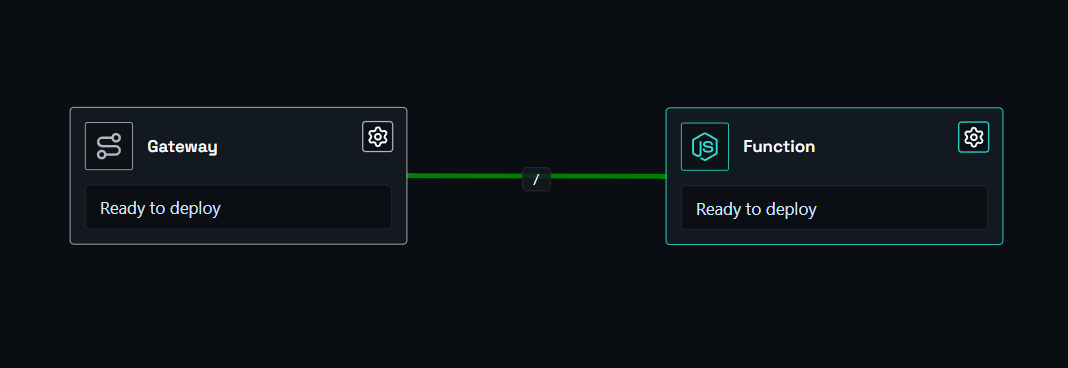
Drag a function node and a gateway node onto the canvas, then link them together.
-
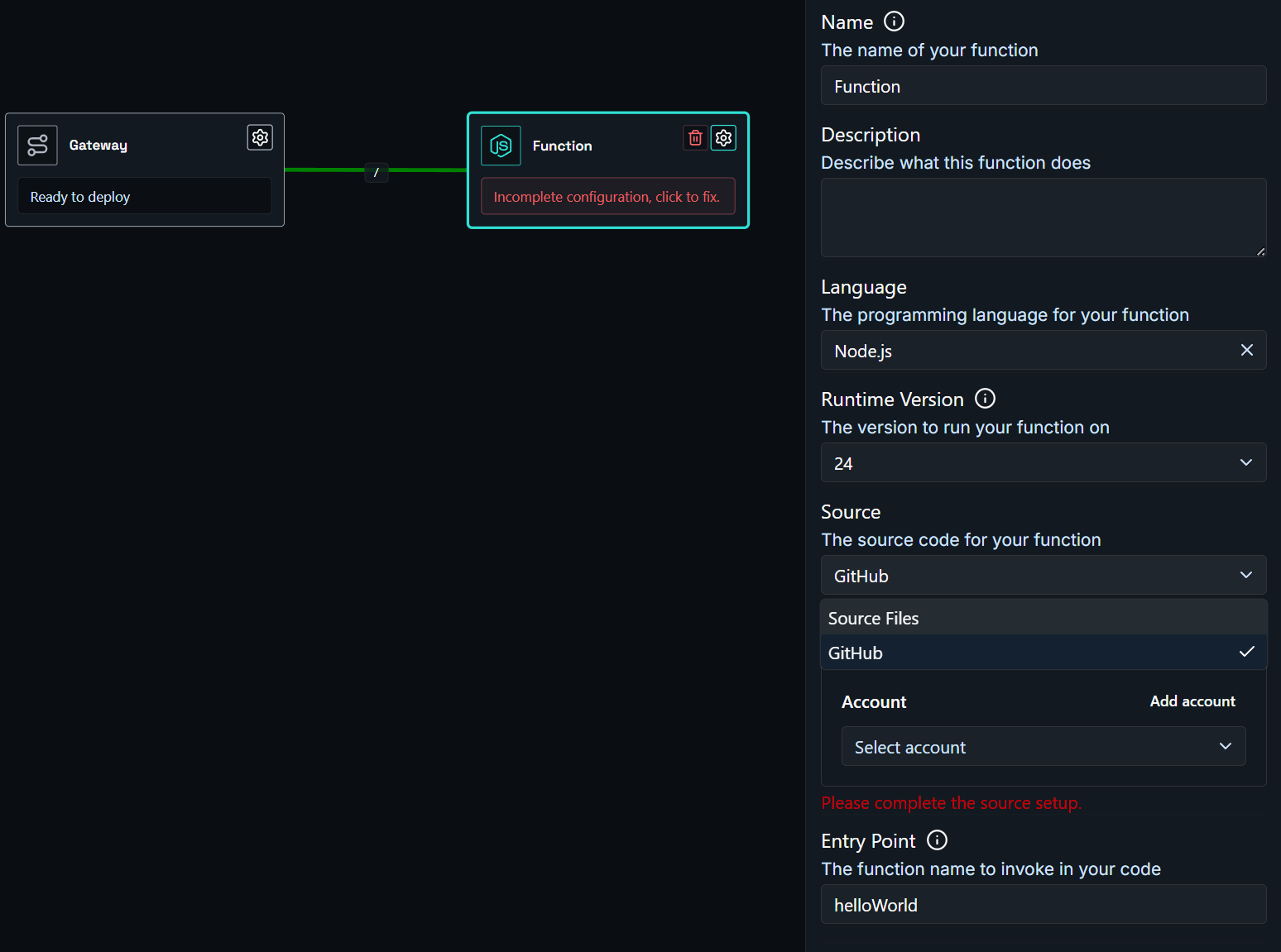
Click the function node to open it, then use the Runtime and Source sections to configure it. In Runtime, set the Language, Version, and Entry Point; in Source, choose GitHub (then select your account, repository, and branch) or upload a file source.
Reminder
Make sure the Entry Point matches the exact name of the exported function in your code. If this is wrong, your function will fail to start.
If you set Source to Files and select New from Editor, you can pick a starter template based on your language and runtime instead of writing from scratch.
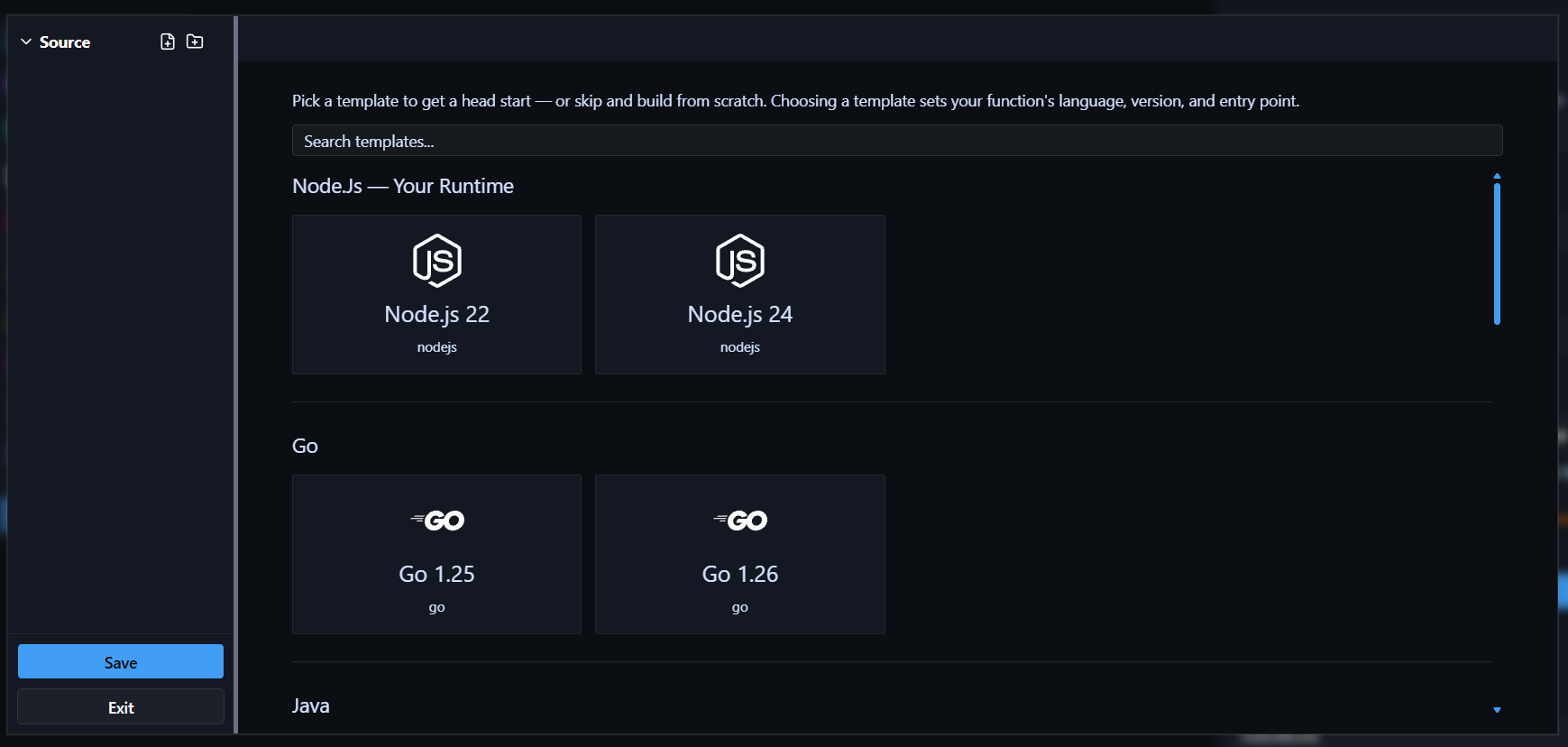
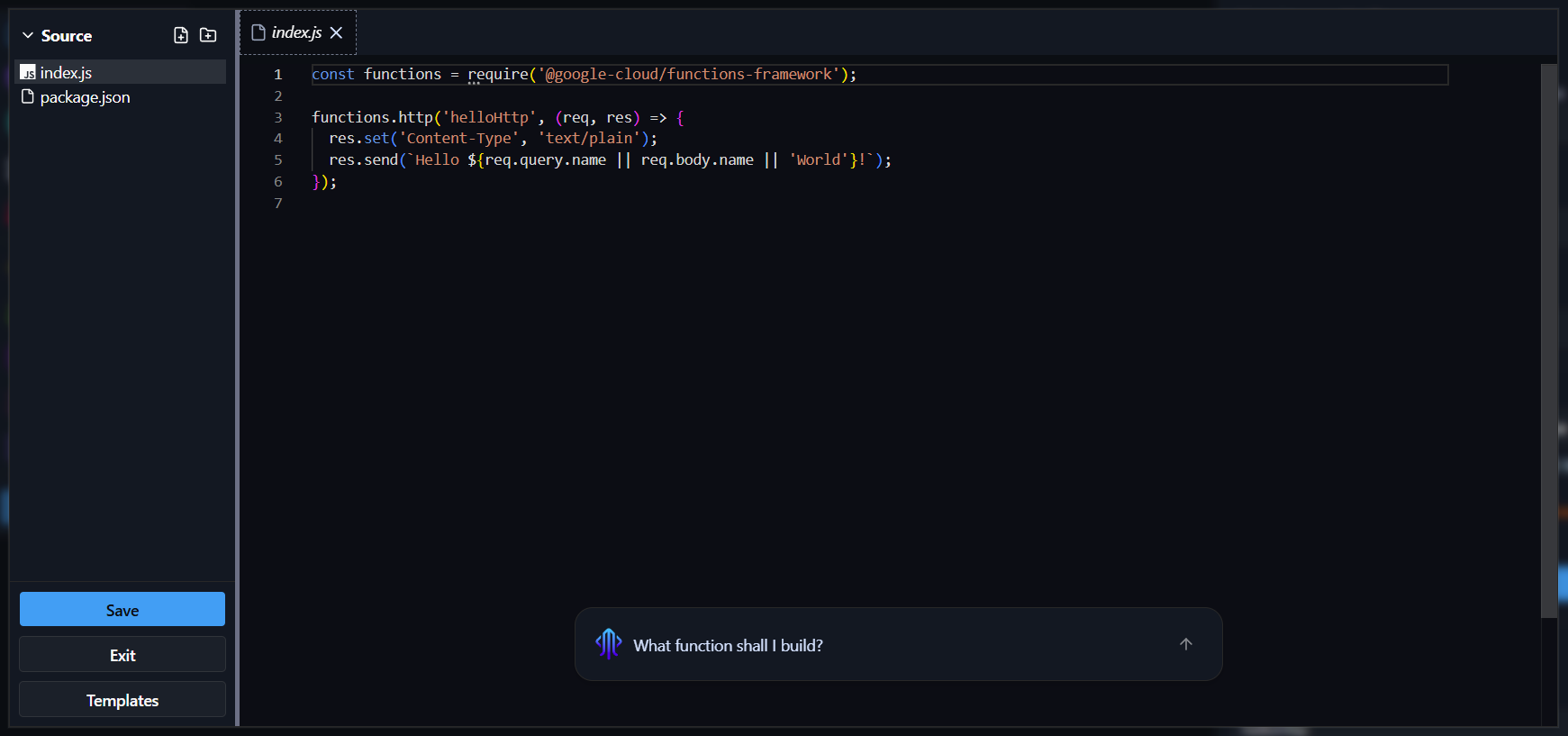
Once you select a template, the editor opens with a working example you can build on. An AI assistant is also available to help you write your function.
-
Click the gateway node to open it, expand the Domain section, and enter the URL name you want. For example, entering
my-functionwill make your function available atmy-function.eu1.shoal.live. You can also point a custom domain at this address. -
Press Deploy. You can watch the deployment in real time via the Observability menu.
Done
Your function is live at the address you configured - running in a scalable, resilient, and protected environment.