Deploying an Application with a Scheduler
In this example, we have an application that runs on a schedule - for instance, posting a daily update to a Slack channel.
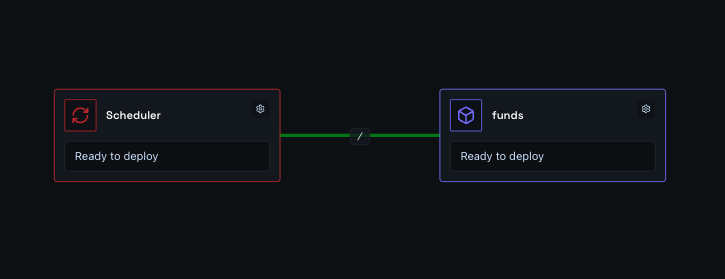
You need two components: a container node and a scheduler node.
- Container node - links to your source code and runs your container on demand.
- Scheduler node - where you set the times Shoal should trigger your container.
Hit deploy, and it just works.
Step One
Step Two
Click the scheduler node to open it, expand the Schedule section, and enter a crontab expression to set when your container should run.
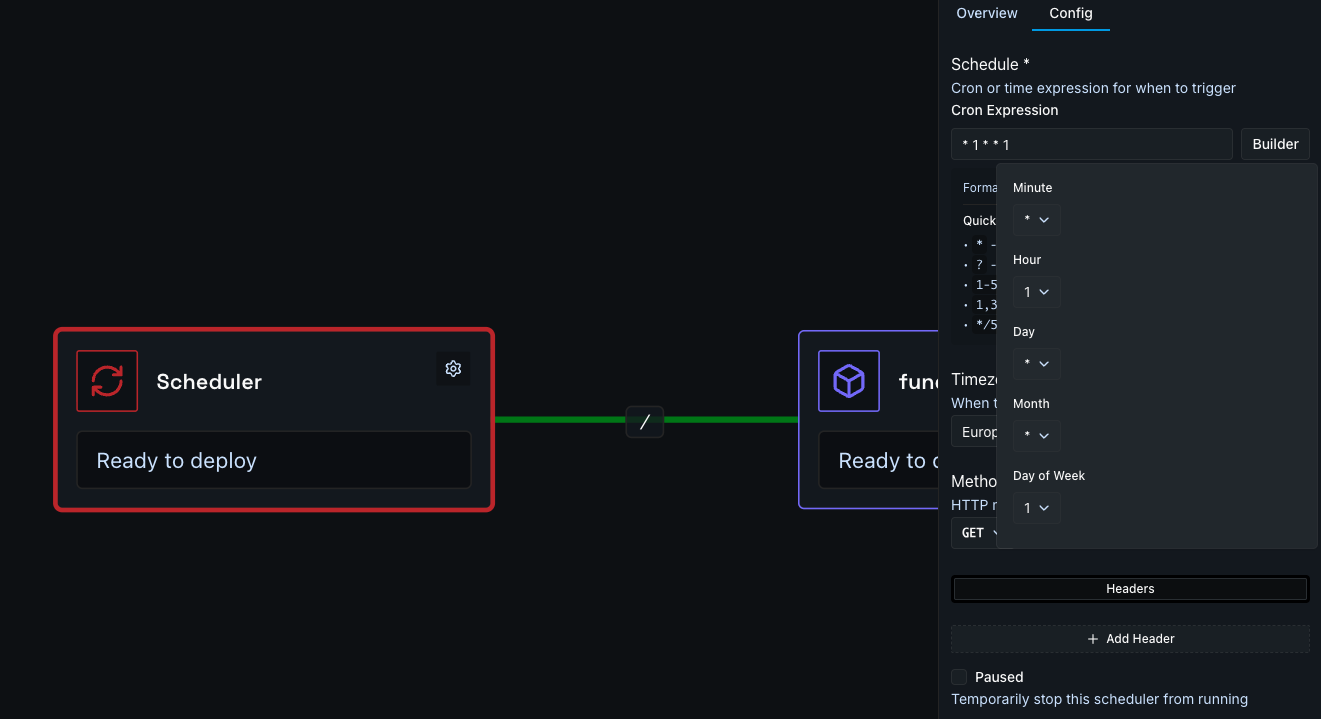
The scheduler uses standard crontab expressions. Here are some common examples:
| Expression | Runs... |
|---|---|
0 9 * * * |
Every day at 9:00am |
0 9 * * 1 |
Every Monday at 9:00am |
*/15 * * * * |
Every 15 minutes |
0 8,17 * * * |
Every day at 8:00am and 5:00pm |
0 9 * * 1-5 |
Weekdays (Mon-Fri) at 9:00am |
See the full crontab expressions guide for more detail.
Not sure of your expression?
crontab.guru is a free interactive editor that translates crontab expressions into plain English as you type. Paste in an expression and it tells you exactly when it will run - and how long until the next trigger.
Step Three
Press Deploy. You can watch the deployment in real time via the Observability menu, or by clicking the link on the deploy button.
Done
Your app is live at the address you configured - connected to your database and running in a scalable, resilient, and protected environment.